

By the Elo-X team · Updated 6 November 2026
Remember more than the last game.
You meet for chess every Friday. Someone wins the first game, someone else wins the rematch, and a week later nobody agrees who is ahead. Your online rating tells a different story from the games around this table.
Give every chess night a place in your group’s ongoing rivalry. Log wins, losses and draws, follow your ratings, and see your head-to-head record against the friend asking for a rematch. Add guests without making everyone create an account.
Friday’s games and your next rated group tournament can build the same group rating when played in the same format. Keep Blitz and Rapid separate, so your quick games have their own leaderboard.
Chess.com and Lichess are the stronger choices when you want an online opponent or help understanding your moves. You can use them alongside Elo-X: one for playing and learning online, the other for the rivalry around your real board.
What can you do with each app?
| What you want to do | Chess.com | Lichess | Elo-X |
|---|---|---|---|
| Played where? | Online | Online | Physical |
| Build a chess rating | ✓ | ✓ | ✓ |
| Log physical games for your rating | ✕ | ✕ | ✓ |
| Create a chess group | ✓ | ✓ | ✓ |
| Track chess and other sports in one app | ✕ | ✕ | ✓ |
| Analyze moves on a chessboard | ✓ | ✓ | ✕ |
| Get a full computer game review | ✓Plan limits | ✓Daily server limit | ✕ |
✓ Available✓ Limits apply✕ Not available
Chess.com and Lichess can import physical games for analysis. An imported game does not update your playing rating. Their clubs and teams can also bring real-life communities together; the rated games shown here are played online.
We make Elo-X. Documented features checked 6 November 2026: Chess.com plans, analysis, clubs, Lichess features and game import.
Make your next chess night count.
Create a Chess group for the people you already play. Invite account holders, add guests, and choose Blitz, Rapid or another supported format. Guests can join your group’s competition without a signup.
Log the game and confirm it together
Record the players, colors and result. No move notation needed. Account holders review their results; guest confirmation follows the group’s settings.
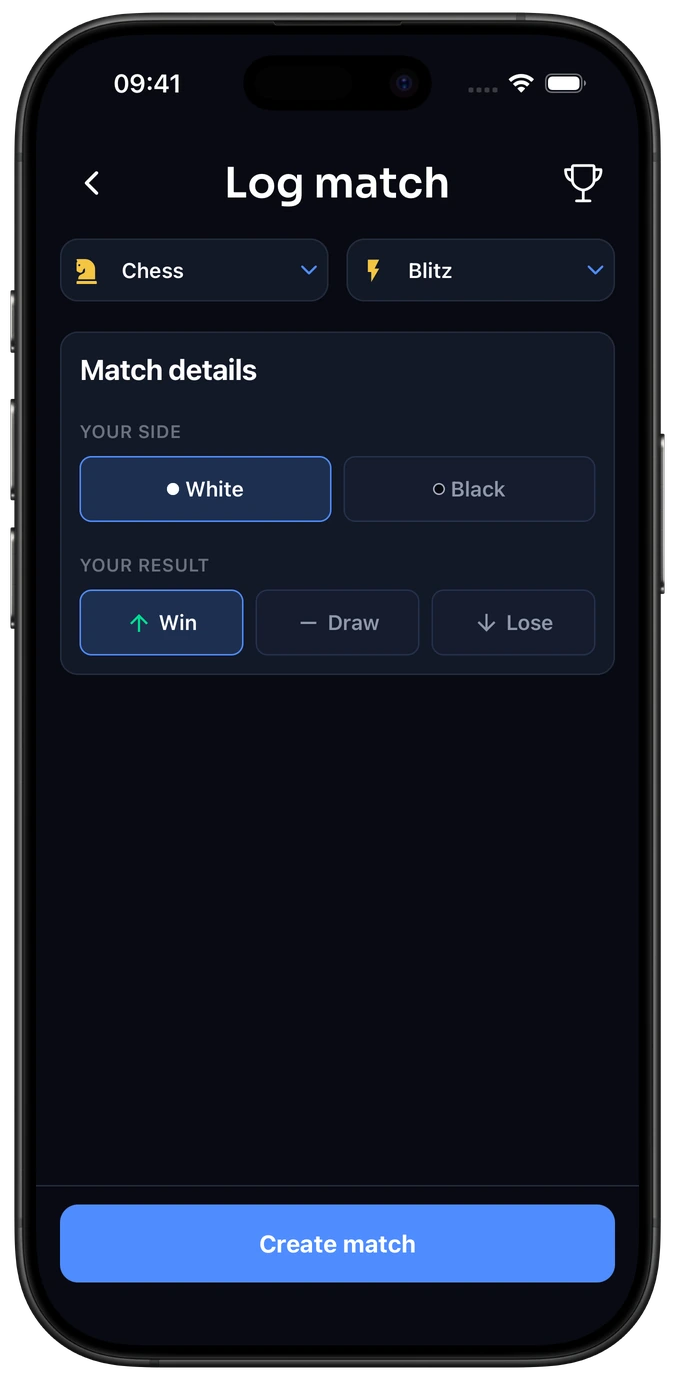
Example result form · Demo players.
Logging chess games →Come back to your group’s standings
See the confirmed games behind the ratings, then check your record against the friend asking for a rematch.
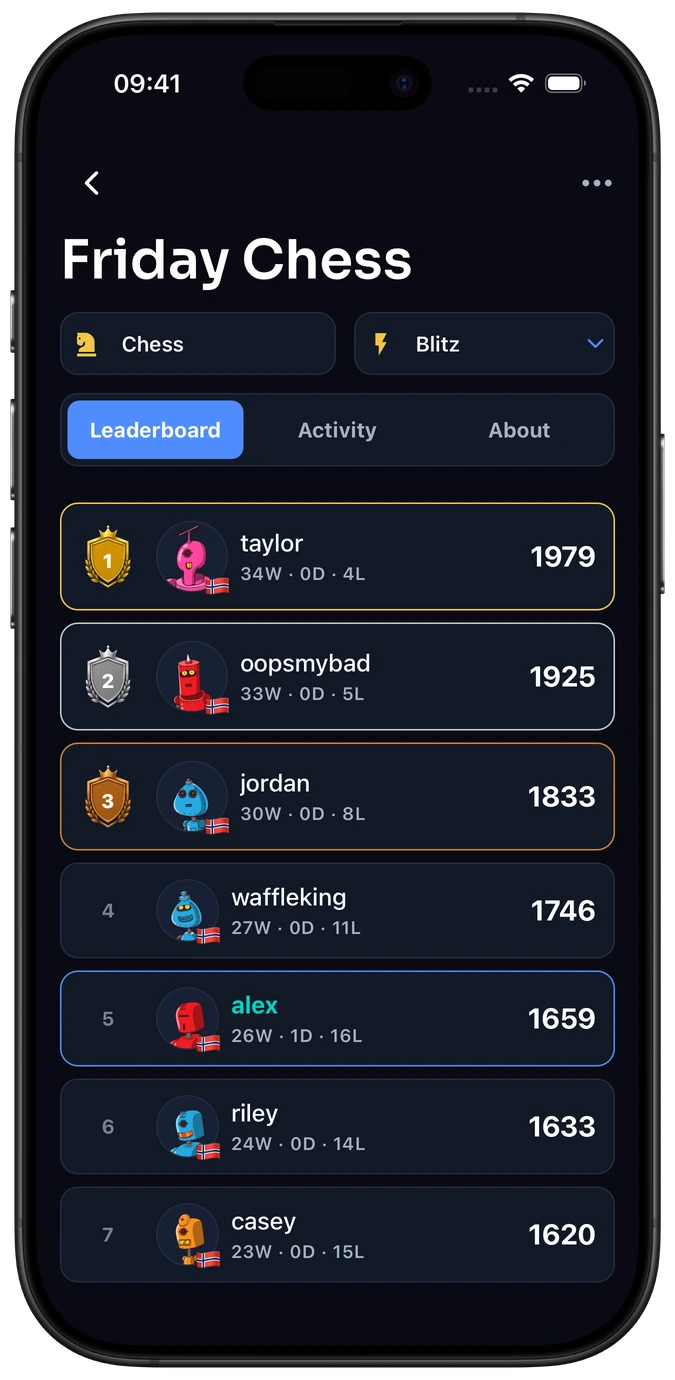
Example group standings · Demo players.
Your chess group →
Guests can build a group rating too. Their games count on its leaderboard when guest ratings are enabled. Rated tournament games and ordinary games in that same group and format contribute to one continuing competition.
Eligible games between registered players can also count towards wider Elo-X ratings when Count as Official is enabled. A chess game against a guest does not affect those wider ratings. “Official” is an Elo-X setting, not FIDE recognition. How the group setting works.
Elo-X rating vs FIDE rating
An Elo-X rating follows your games in Elo-X. A FIDE rating belongs to FIDE’s rated competition system. Recording a café game in Elo-X does not create or change a FIDE rating.
FIDE-rated events have registration, playing and reporting requirements. If your goal is an official FIDE rating, speak to a chess club or your federation about suitable events. If your goal is to see how your regular group is doing, you can start recording games together in Elo-X.
The numbers are not interchangeable: 1500 in Elo-X is not a claim that you are 1500 FIDE, Chess.com or Lichess. Elo-X starts new ratings at 1500 and uses Glicko-2 to update them as results arrive. Compare your progress within the same system and format.
FIDE regulations: Standard and Rapid and Blitz · How Elo-X ratings work.
Use the tool that fits tonight’s game.
Choose Chess.com or Lichess
You want to play online, solve puzzles or analyze moves. Both can import a recorded physical game for analysis. Lichess is free; Chess.com offers free and paid access.
Choose Elo-X
You want your real-board games to count beyond tonight: guests included, a group rating that continues across rated tournaments and everyday games, and a head-to-head record for the next rematch. Keep chess and your other sports in the same app, with separate ratings for each.
Elo-X does not provide online chess play, a move-by-move game replay or engine analysis. Logging the outcome saves the result, not the moves. There is no rating transfer or synchronization with FIDE, Chess.com or Lichess.
Organizing a defined event? Compare Elo-X, TournamentService and Swiss-Manager.
Before your first game
Can Elo-X replace Chess.com or Lichess?
For online play and move analysis, keep using an online chess platform. Choose Elo-X when you want to track games you play in real life, with confirmed results and a leaderboard for your group. The tools can work alongside each other.
Does everyone need an account?
No. Add guests to your group for games and group tournaments. Guest group ratings are available when enabled, and confirmation follows the group’s settings. Guests do not need their own phone or account.
Do I need a FIDE rating to use Elo-X?
No. Start your own group and record confirmed games. Your Elo-X rating is independent of FIDE.
Can one group play both Blitz and Rapid?
Yes. Chess groups support Bullet, Blitz, Rapid and Classical, with separate ratings by format. Select the format you played when logging the result.