
By the Elo-X team · Updated 6 November 2026
A winner tonight. A reason to play again.
Eight friends want a chess tournament on Sunday. They need to know who plays whom, which results are in, and who is leading. Next week, they want to see how the rivalry continues.
Your tournament ends. Your group’s competition keeps going. With rated games enabled, tournament results and everyday matches in the same chess format feed the same group rating and leaderboard. Sunday’s final and Friday’s rematch become part of one ongoing rivalry.
Organizers and players use Elo-X on their phones. Add guests to a group tournament without asking them to create accounts, then keep the results, ratings and head-to-head history together for next time.
TournamentService and Swiss-Manager are specialist choices for chess organizers who need established tournament administration and federation-oriented tools. The useful question is which workflow your event needs.
What can you do with each tool?
| What you want to do | Tournament | Swiss- | Elo-X |
|---|---|---|---|
| Main workflow | Organizer’s desktop | Organizer’s desktop | Organizers’ and players’ phones |
| Count tournament results toward your everyday chess rating | Federation rating tools | Federation rating tools | ✓ |
| Run a Swiss tournament | ✓ | ✓ | ✓ |
| Run a round-robin tournament | ✓ | ✓ | ✓ |
| Track rounds, results and standings | ✓ | ✓ | ✓ |
| Add players without individual app accounts | ✓ | ✓ | ✓ |
| Track chess and other sports in one app | ✕ | ✕ | ✓ |
| Use a FIDE event workflow | ✓Event rules apply | ✓Event rules apply | ✕Independent ratings |
✓ Available✓ Conditions apply✕ Not available
Elo-X supports guests in group tournaments. Group ratings combine eligible rated results in the same format. Guest results can count when group guest ratings are enabled. TournamentService and Swiss-Manager support federation rating workflows, which depend on eligible events and reporting rather than everyday group games.
We make Elo-X. Documented features checked 6 November 2026: TournamentService, its licensing page, Swiss-Manager and Elo-X chess tournaments.
Take your group from setup to standings.
Create a group tournament to bring account holders and guests together. The organizer adds guests from the group during registration; guests do not need an account or phone. Add your group’s guests once and bring them back for future games and tournaments. Agree on the time control, format and tie-break rules before play.
Choose your players and format
Select Chess and the format you play, then set up the tournament stages. A small round robin lets everyone meet; Swiss keeps players involved across rounds.
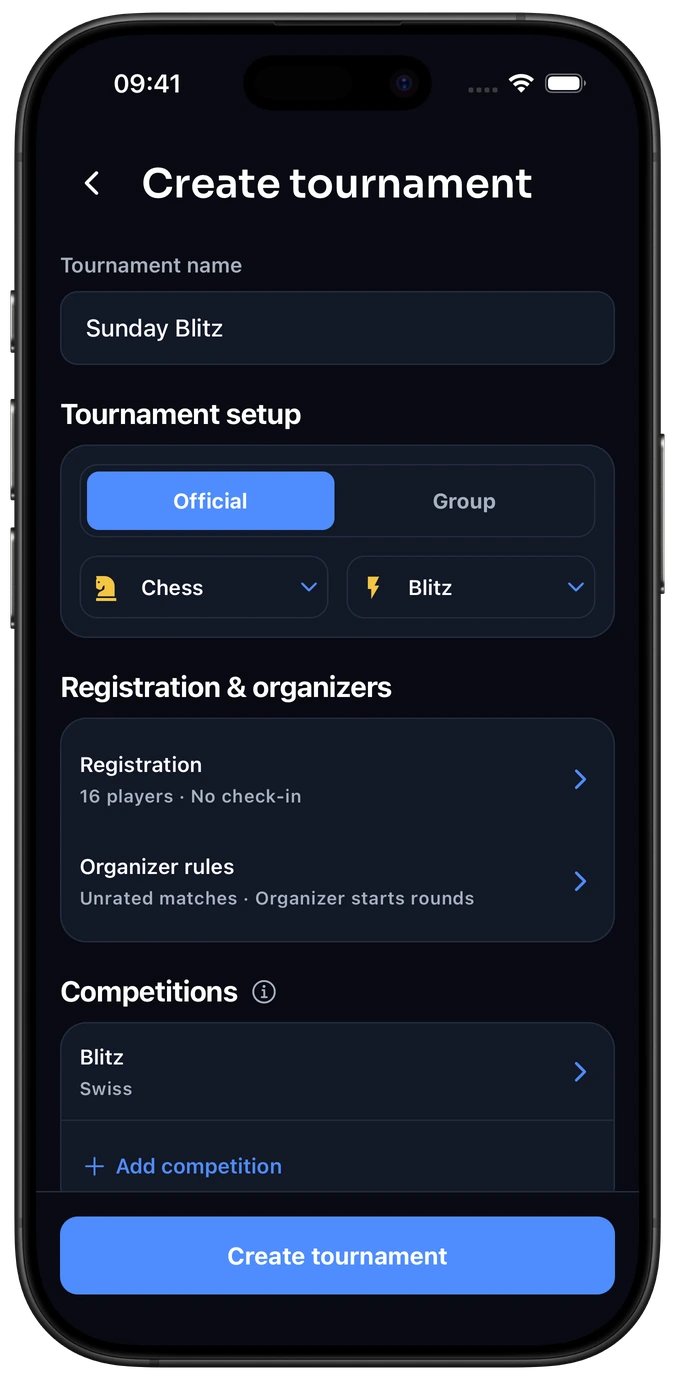
Example standalone event setup.
Chess tournament setup →Follow the rounds and results
Organizers and signed-in players follow pairings and results on their phones. Players can record and confirm their results in the app; guest confirmation follows the group’s settings.
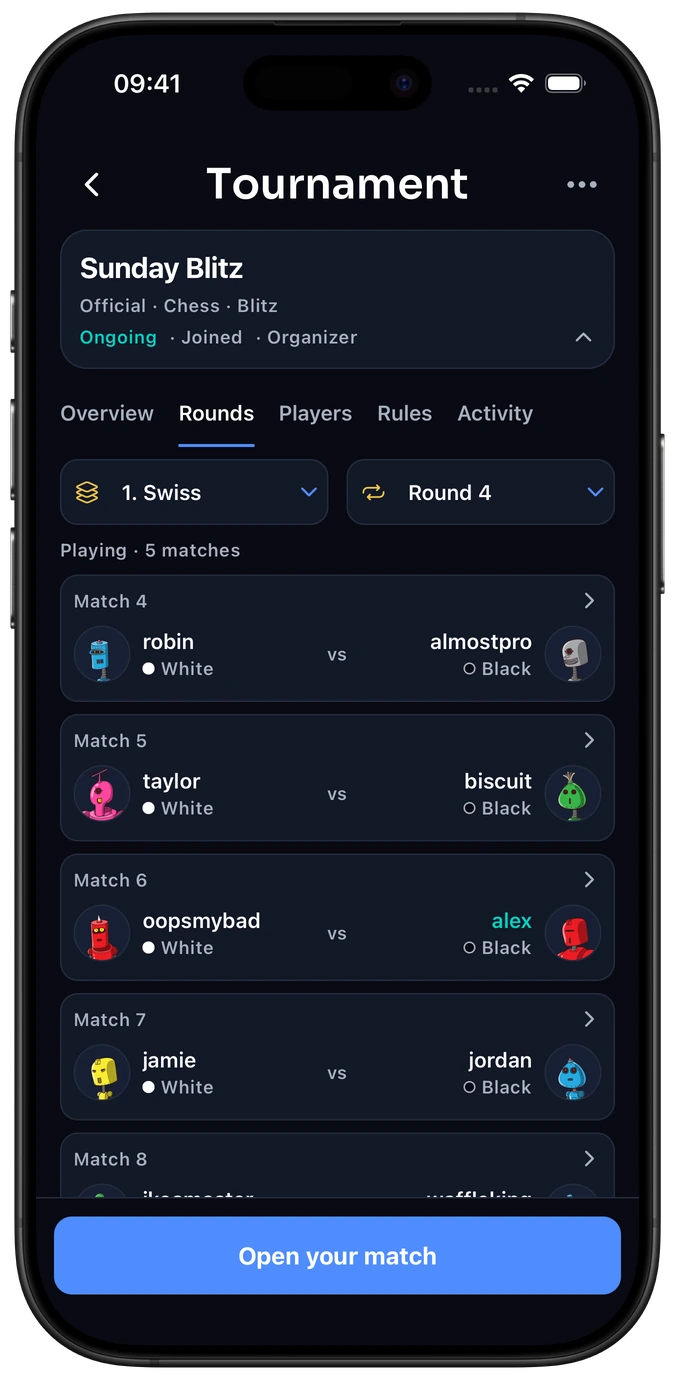
Example standalone Swiss round · Demo players.
Rounds and standings →
You can combine stages, such as Swiss rounds followed by a knockout final. Decide how a drawn knockout game will be resolved before play. Explore the supported formats.
Make every rated game part of the bigger competition. Enable rated tournament games to contribute to your group’s existing leaderboard, alongside ordinary matches in the same format. Your tournament format decides the event winner; your rating carries the rivalry forward.
One app for the people you play with.
Keep your chess results, ratings and head-to-head record in the same app as your other activities. Switch from chess to table tennis or padel without moving to another tracking tool. Each activity keeps its own ratings.
When a specialist chess program fits better
TournamentService
Consider it for organizer-led chess events, with online signup, web publishing, team events and rating integration. It has a Norwegian version tailored to clubs in the Norwegian Chess Federation.
TournamentService is the chess product. Tournamentsoftware is a different service used in racket sports.
Swiss-Manager
Consider it when you need chess pairings, FIDE or national rating-list imports and results published through Chess-Results. Its desktop workflow is designed for the organizer managing the competition.
Both suppliers describe FIDE-approved software. For a rated event, confirm that the exact version, pairing system and reporting workflow meet the requirements for your event. Choosing software alone does not make a tournament eligible for FIDE rating.
Can Elo-X run a FIDE-rated tournament?
Elo-X is for your own competition; it does not provide FIDE rating or a federation submission workflow. Swiss describes a tournament format. It does not mean that Elo-X’s pairings are FIDE-certified.
FIDE-rated events have separate registration, playing and reporting requirements. If FIDE rating is part of your event, arrange the approved process with your federation and arbiter, including the appropriate tournament software.
You can use Elo-X to follow your group’s independent competition. An Elo-X rating does not update or replace a FIDE rating. Read the rating comparison.
FIDE regulations: Standard and Rapid and Blitz.
Our pick for a friendly chess night
Choose Elo-X to turn a one-day tournament into an ongoing competition. Organize it from your phone, welcome guests through your group, and let rated results build on the same leaderboard your friends use between events.
Choose a specialist chess program when you need federation reporting or dedicated arbiter tools. Elo-X records physical results and ratings; online chess play, move recording and engine analysis belong in a chess-playing tool.
If you mainly want to track casual games rather than run an event, compare Elo-X with Chess.com and Lichess.
Before you invite your players
Do I need to create a chess group first?
No. You can create an event directly for Chess. Choose a group tournament when you want to include guests and build on that group’s existing leaderboard.
Can I just enter guest names?
Yes. In a group tournament, the organizer can add guests from that group during open registration. Guests do not need accounts. Standalone tournaments require registered players.
Does an event standing equal a chess rating?
No. The tournament format and its tie-break rules decide the event standings. With rated games enabled, confirmed tournament results also update the same group rating used for everyday games in that format. Guest results follow the group’s guest rating settings.