
Start your own minigolf group.
Bring your regular playing group together. Record rounds on your courses, confirm scores and follow your own shared leaderboard.
Create, play and compare.
-
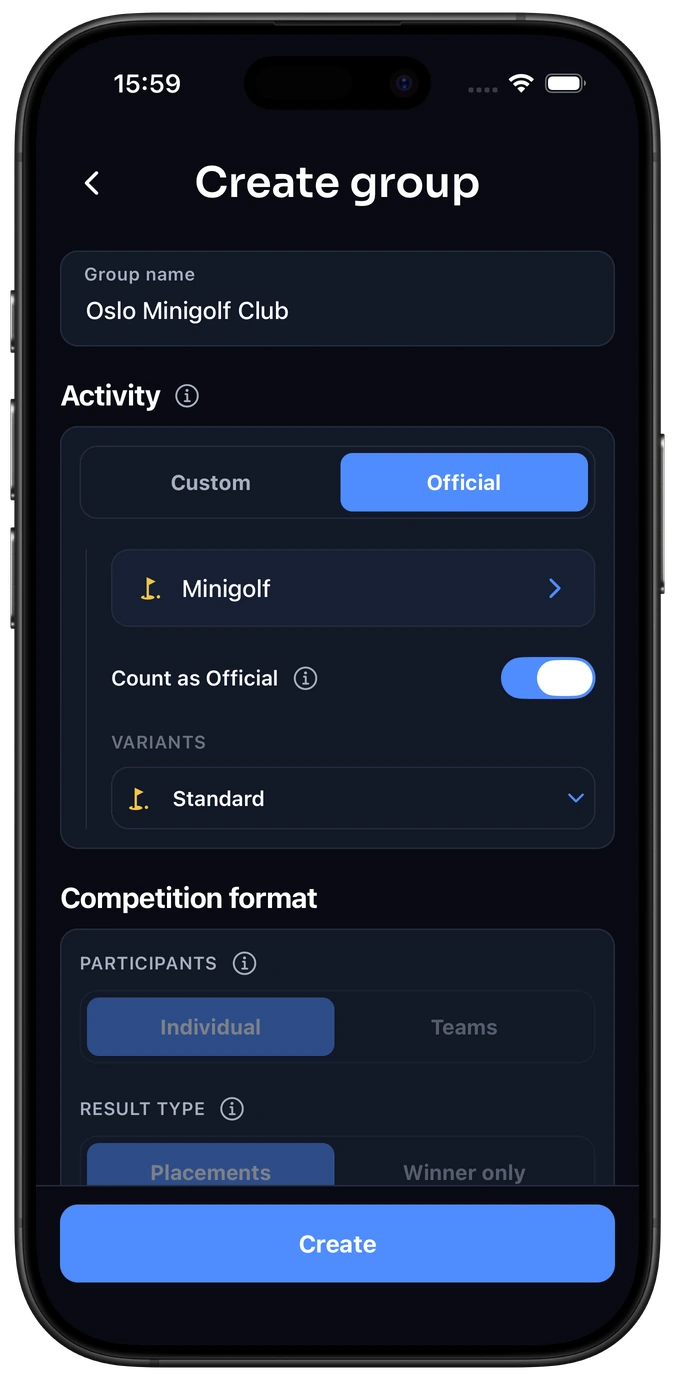
Choose Minigolf
Name your group, choose Minigolf from the standard activity list and select Standard.
-
Invite your players
Share the group’s invitation link or QR code with your club members or friends.
-
Play and confirm
Start a round from your group, select the course and log each player’s strokes. The other players review the completed result.
-
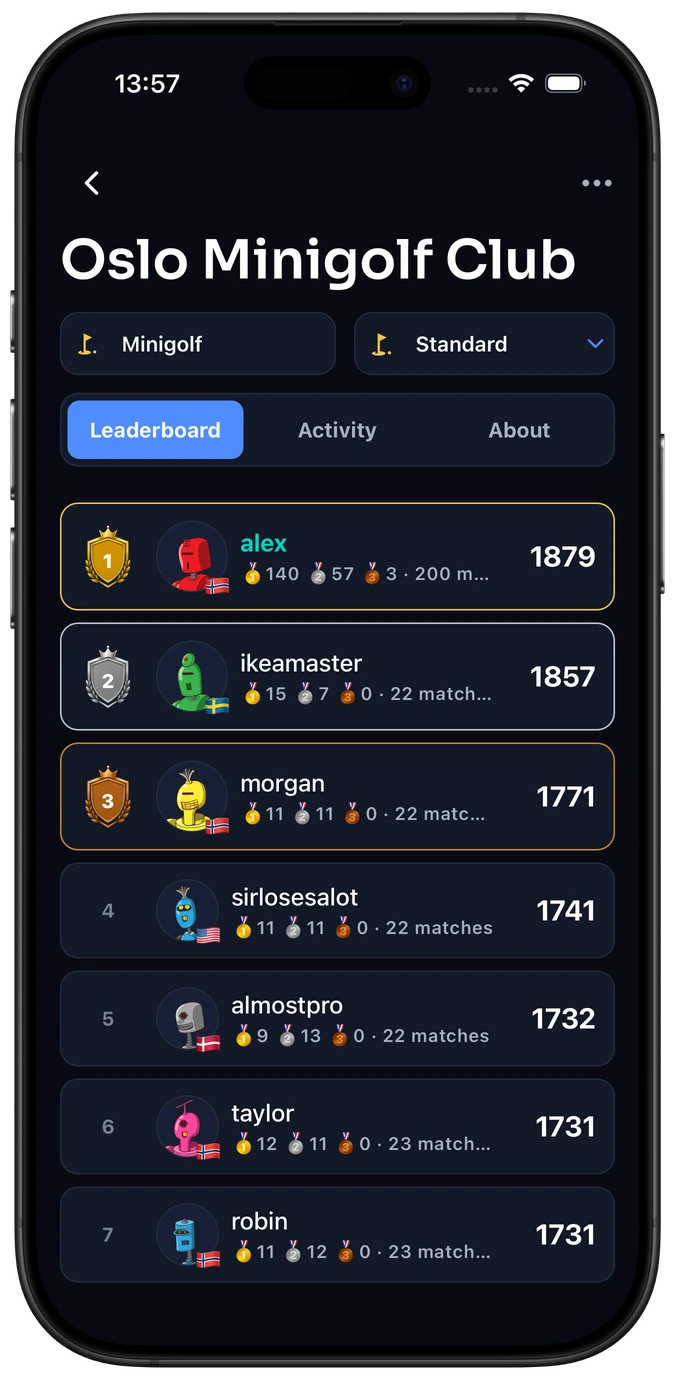
Your players, your standings
Compare ratings within the group you actually play with.
-
A shared record for your rounds
Keep confirmed results together even when the course or player lineup changes.
-
Look back between outings
Follow your group’s ongoing competition beyond a single scorecard.
-
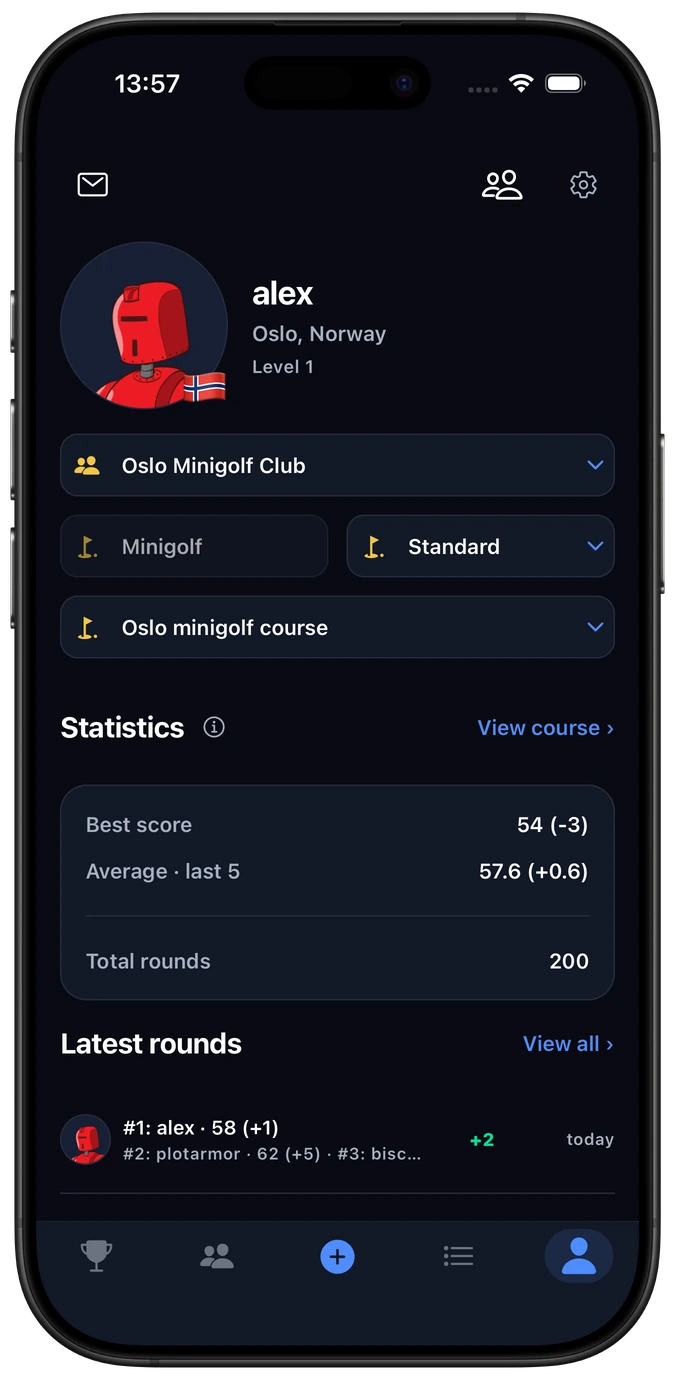
Follow your group rounds
Choose the group context to see the results from your regular players.
-
Keep course comparisons meaningful
Filter to a course for your best confirmed score and recent average on comparable layouts.
-
Revisit the scorecards
See which course version and strokes produced each result.
Who’s joining your next minigolf round?
A family outing. A friendly challenge after work. The same friends meeting at a favorite course. Keep your players and scorecards together, and pick up the competition next time.
- Friends & family
- After-work groups
- Local minigolf clubs
- Weekend outings
- Regular players
Common questions
Can we play on different courses in the same group?
Yes. Select the correct course and layout for each round. Your group keeps its result history together; compare best scores and averages within a specific course.
What does Count as Official do?
For eligible standard-activity multiplayer rounds, it also counts confirmed group results towards the activity rating. Solo rounds stay unrated.
Can a solo round appear in the group?
Yes. Completed group-linked solo rounds are visible to current group members, but do not change the group rating. Ungrouped solo rounds remain private.
What if our minigolf course is missing?
Try the course name or address first. The Minigolf course setup guide explains how to add a missing course and set its holes and par.
Start your minigolf group.
Bring your players together and keep your next rounds in one place.