
Add your minigolf course and start a round.
Find the right layout, check holes and par, then record each player’s strokes in Elo-X.
1. Search for the right course.
Open Actions → Log Result. For standard play, use the top-right menu to choose Official, then select Minigolf → Standard. If you are logging from an existing minigolf group, keep that group selected.
Open Choose course and search by the course name or address. Check the location and layout before selecting a result. Try a shorter name or another spelling before adding a new course; a failed or unfinished search does not prove the course is missing.
2. Add a missing course.
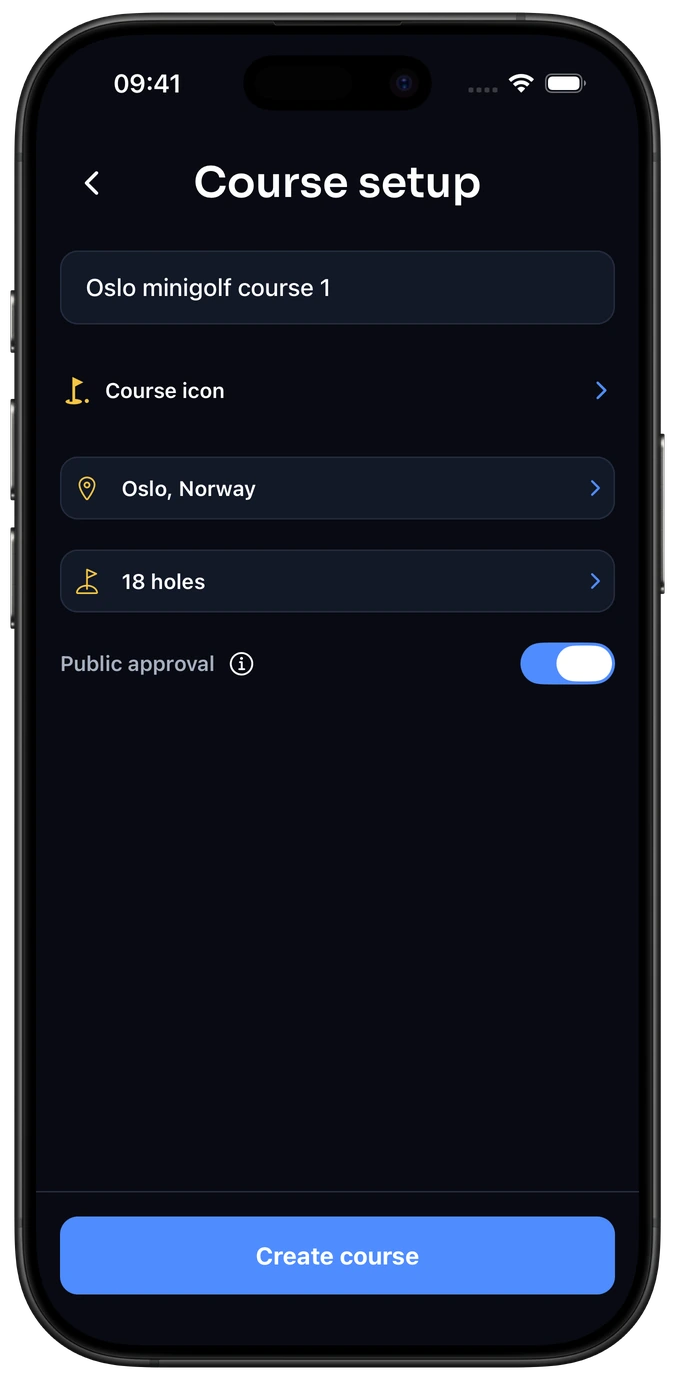
If no matching course is available, open the top-right course menu and choose Create course. Enter a clear, recognizable name. Open the location row, check the selected country and search for the correct place or address.
Select the matching location and check it carefully. Only add a course you can describe accurately, so players can distinguish layouts with similar names.
3. Set the complete hole layout.
Open Holes. Set Number of holes to match the whole layout you will play. A round uses every hole in the selected course version, in order.
Turn on Use par only if you know the correct par for every hole. All holes start at 3; adjust each value with − and +. Leave Use par off if par is unknown. Choose Done to return to Course setup.
4. Choose visibility and save.
Review the name, location and holes. Keep Public approval on to submit the course for review when saving, or turn it off to keep it private. Read the information button before submitting: once approved, all saved versions are public.
Choose Create course when the required details are complete, and confirm submission if prompted. Submission is not immediate publication; the course stays private until approved. Players added to your round, or joining through its link or QR code, get access to the private course.
Later changes to a used layout create a new version. Past rounds keep the version they were played on, so check the current layout before starting.
5. Select the course and record your round.
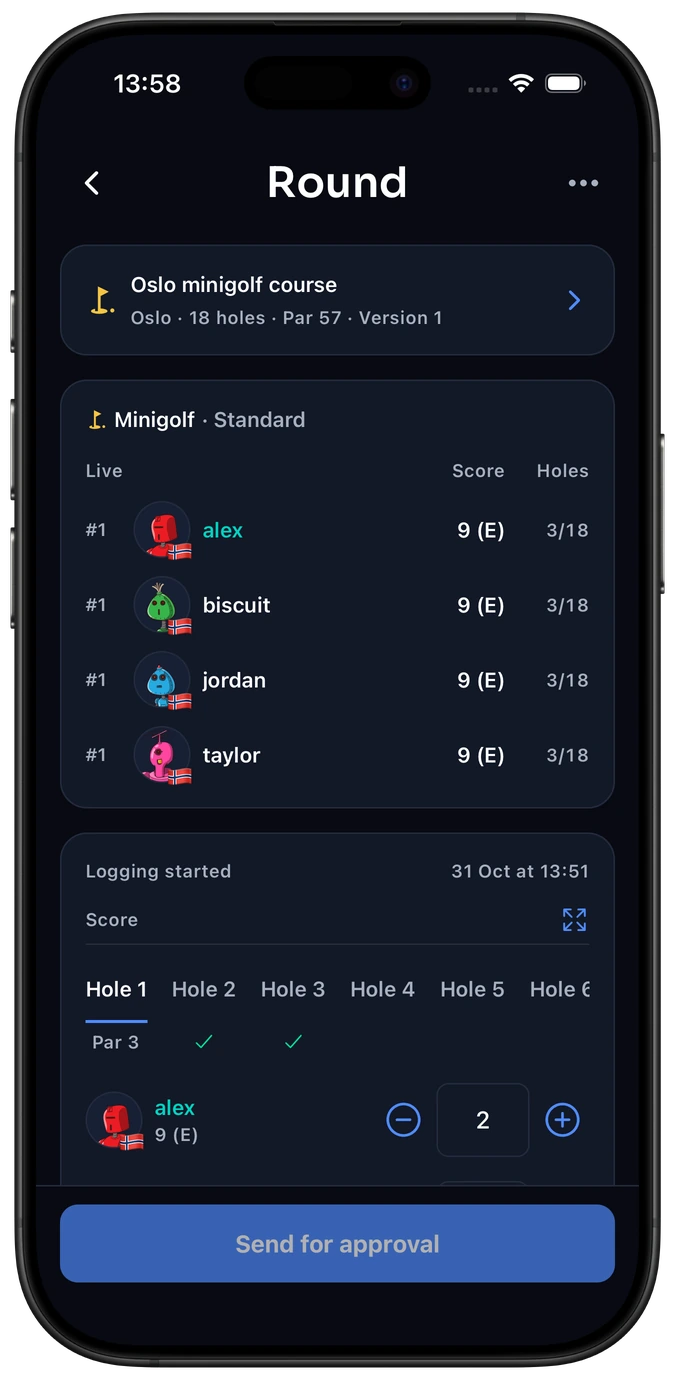
Return to round setup, choose the saved course and check your players. Play solo for practice, or include two to sixteen individual players for a competitive round. Enter strokes for every player and every hole; the lowest complete total wins.
Agree any local stroke limit before you play. Enter the scores under those agreed rules; Elo-X does not decide the course’s house rules.
Send completed multiplayer scorecards to the other players for review. Solo is always unrated: ungrouped solo rounds are private, while completed group-linked solo rounds are visible to current group members.
Explore minigolf scores and rankings → · Start your minigolf group →
Common questions
Do I have to enter par?
No. Leave Use par off when par is unknown. If you enable it, enter the correct par for every hole instead of guessing.
Does saving a course make it public immediately?
No. Public approval submits it for review. It stays private until approved; turn the option off to keep it private.
Can I compare raw totals from different courses?
Compare best scores and recent averages within one course and a comparable layout. Different courses’ raw stroke totals are not directly comparable.
Record your next minigolf round.
Keep your course, scorecard and confirmed result together.